Best Data Purchase API Provider in Nigeria: Vtunaija Review for MTN, Glo, Airtel, 9Mobile, Smile and Spectranet
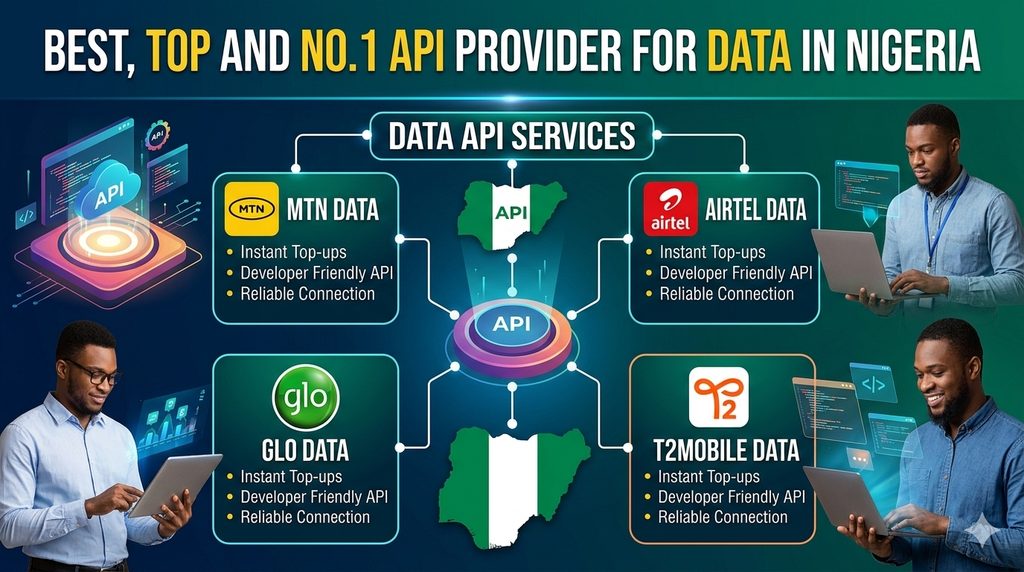
If you are looking for the best data purchase API provider in Nigeria for integrating MTN data, Glo data, Airtel data, 9Mobile data, Smile internet bundles and Spectranet internet bundles into your website, mobile application or software, Vtunaija is a platform worth considering.
Vtunaija provides a dedicated Data API for Nigerian mobile networks, together with a separate Internet Bundles API for providers such as Smile and Spectranet.
This means a developer building a data-selling website, mobile app, fintech platform, VTU platform or reseller application can use Vtunaija’s API to automate data purchases instead of manually processing each customer’s order.
Vtunaija’s live Data API documentation currently identifies the supported mobile-network IDs as MTN, Glo, 9Mobile and Airtel, while its separate Internet Bundles API identifies Smile and Spectranet.
In this review, we examine Vtunaija specifically as a data purchase API provider in Nigeria, including its MTN data API, Glo data API, Airtel data API, 9Mobile/T2 Mobile data API, Smile API, Spectranet API, data-plan API, sandbox environment, documentation, transaction-query functionality, webhook support, pricing considerations and developer experience.
Quick Answer: What Is the Best Data Purchase API in Nigeria?
For developers looking for a Nigerian API that can integrate MTN, Glo, Airtel and 9Mobile mobile data, together with Smile and Spectranet internet bundles, Vtunaija is one of the platforms worth evaluating.
Vtunaija provides separate API functionality for:
- MTN data
- Glo data
- Airtel data
- 9Mobile data
- Smile internet bundles
- Spectranet internet bundles
- Data-plan retrieval
- Transaction querying
- Webhooks
- Sandbox testing
The platform’s live documentation confirms that the Data API supports MTN, Glo, 9Mobile and Airtel, while the Internet Bundles API supports Smile and Spectranet.
This makes Vtunaija particularly relevant to businesses that want to build a multi-network data-selling platform around one API provider.
Why Vtunaija Is Worth Considering for Data API Integration
There are several reasons a developer may choose Vtunaija when looking for a data API in Nigeria.
The most important is the range of data products available through the platform.
Rather than integrating one provider for MTN, another for Glo, another for Airtel and another for 9Mobile, a developer can investigate Vtunaija as a single API provider for the major mobile networks.
Vtunaija also goes beyond ordinary mobile data.
Its separate Internet Bundles API provides functionality for Smile and Spectranet, allowing a platform to offer additional internet products alongside traditional mobile-network data.
Vtunaija MTN Data API
MTN is one of the most important networks for any Nigerian data-selling platform.
Vtunaija’s Data API supports MTN data purchases.
In the live Data API documentation, Vtunaija identifies:
Network ID 1 = MTN
This means a developer can specify the appropriate MTN network ID and the required data-plan ID when submitting a data purchase request.
A typical data purchase involves information such as:
- Network
- Customer mobile number
- Data plan
- Request ID
- API authentication
The API then returns a response indicating whether the transaction was successful, failed or is still processing.
This makes the API suitable for developers who want to automate MTN data sales through their own platform.
Vtunaija Glo Data API
Vtunaija also supports Glo data purchases through its Data API.
The live documentation identifies:
Network ID 2 = Glo
A developer can therefore integrate Glo data into a website or application using the same general Data API structure used for the other supported mobile networks.
This is useful for businesses that want customers to select Glo and then choose from the available Glo data plans displayed by their application.
Vtunaija 9Mobile / T2 Mobile Data API
Vtunaija’s documentation identifies:
Network ID 3 = 9Mobile
The documentation currently uses the name 9Mobile, while T2 Mobile is the current consumer brand associated with the former 9mobile network.
For developers, the important point is that Vtunaija’s Data API provides a network identifier for this network and supports data-plan purchases through the same API system.
This allows a VTU or fintech platform to provide 9Mobile/T2 Mobile data alongside MTN, Glo and Airtel.
Vtunaija Airtel Data API
Airtel data is also supported by Vtunaija’s Data API.
The documentation identifies:
Network ID 4 = Airtel
A developer can therefore integrate Airtel data using Vtunaija’s Data API and allow customers to purchase the available Airtel plans through the developer’s own website or application.
This gives developers one API structure covering the four major mobile-network data services documented by Vtunaija:
| Network | Vtunaija Network ID |
|---|---|
| MTN | 1 |
| Glo | 2 |
| 9Mobile | 3 |
| Airtel | 4 |
These network IDs are documented by Vtunaija and should be checked against the current plan-ID/pricing documentation before being hard-coded into a production application.
Vtunaija Smile Internet Bundle API
Vtunaija’s data offering is not limited to traditional mobile-network data.
The platform has a separate Internet Bundles API for Smile and Spectranet.
For Smile:
Network ID 5 = Smile
The API documentation states that the Smile account ID is required for Smile internet-bundle purchases.
This is important because Smile purchases can involve an account identifier in addition to the customer’s phone number and selected data plan.
A developer building a unified data-selling platform can therefore provide Smile alongside ordinary mobile-network data.
Vtunaija Spectranet API
Vtunaija also supports Spectranet internet bundles.
The Internet Bundles API documentation identifies:
Network ID 6 = Spectranet
Unlike Smile, the documentation states that the account ID field is not compulsory for Spectranet purchases.
This gives developers access to another internet-service provider through the same general Vtunaija API ecosystem.
One API Provider for Six Data and Internet Services
One of the strongest reasons to consider Vtunaija specifically for data integration is the ability to cover multiple networks and internet providers.
The current documented structure can be summarized as:
| Data / Internet Provider | API Type | Documented Network ID |
|---|---|---|
| MTN | Data API | 1 |
| Glo | Data API | 2 |
| 9Mobile / T2 Mobile | Data API | 3 |
| Airtel | Data API | 4 |
| Smile | Internet Bundles API | 5 |
| Spectranet | Internet Bundles API | 6 |
The first four are handled through Vtunaija’s Data API, while Smile and Spectranet are handled through the Internet Bundles API.
For a developer building a Nigerian data platform, this distinction is useful because it means the implementation does not have to assume that every provider uses exactly the same API endpoint or request fields.
Vtunaija Data Plans API
Another important feature is Vtunaija’s Fetch Data Plans List API.
Instead of manually entering every data plan into your application, the API can return the available data plans.
The documented response can include information such as:
- Data-plan ID
- Network name
- Data size/name
- Data type
- Price
- Commission
- Duration
- Availability/status
This can be particularly useful when developing a data-selling application because your platform can use the provider’s plan list as a source for displaying available plans.
For example, a developer could build a user interface where the customer selects:
MTN → Data Type → Data Plan → Amount
rather than manually maintaining every plan inside the frontend.
Why a Data Plans API Is Important
Data plans change.
Providers can introduce new bundles, remove old bundles, change prices or modify validity periods.
If a developer hard-codes every plan into their application, maintaining the application can become difficult.
A plan-list API provides a more dynamic approach.
Vtunaija’s documentation states that the Fetch Data Plans API can return active data plans together with their IDs, names, prices, validity and other details.
For a serious VTU or fintech application, this is an important developer feature.
Vtunaija Data API Request Structure
Vtunaija’s live Data API uses a POST request.
The documentation provides a cURL example using the endpoint:
The request uses an authorization token and JSON content type.
A typical request contains information including:
- Network
- Mobile number
- Ported-number setting
- Request ID
- Data-plan ID
The actual API credentials and plan IDs should be obtained from your own Vtunaija account and the current documentation rather than copied from examples.
Vtunaija Data API Response Handling
One of the useful aspects of the documentation is that it shows different possible transaction states.
The documented responses include:
Successful
The response indicates:
Status: successful
and:
status: success
along with information such as the transaction ID, plan amount and provider response.
Processing
A transaction can also return:
Status: processing
This indicates that the transaction is still pending rather than immediately treating it as a failure.
Failed
The API documentation also provides failed-response examples.
This distinction is extremely important for developers.
A well-designed data-selling application should not automatically treat every response that is not immediately successful as a permanent failure.
Instead, the developer should implement appropriate transaction-status handling.
Transaction Query API for Data Purchases
Vtunaija also provides a Query Transaction API.
This is particularly useful for data purchases because an API request can sometimes experience a network timeout or return a processing state.
The transaction-query API allows a developer to retrieve transaction details using the request ID associated with the transaction.
The documented response can include information such as:
- Transaction ID
- Transaction name
- Transaction type
- Data size
- Customer number
- Network
- Amount
- Commission
- Transaction status
- API response
- Transaction date
For a production data-selling platform, this type of transaction-query functionality is extremely useful.
Webhooks for Data Transactions
Vtunaija also documents webhook functionality.
Webhooks allow a provider to send transaction-status notifications to a developer’s server rather than requiring the application to continuously poll the provider.
The current webhook documentation describes events including:
transaction.processingtransaction.successtransaction.failed
It also recommends validating webhook requests, protecting against duplicate events and using HTTPS in production.
This can be particularly useful for automated data-selling systems where the customer’s wallet, transaction record and order status need to be updated after the transaction reaches its final state.
Vtunaija Sandbox Data API
One of the most useful features for developers is the separate Sandbox Vtunaija environment.
The sandbox data API has its own endpoint and documentation.
Sandbox Data API:
The sandbox documentation states that sandbox data purchases must use the test mobile number:
08011111111
and requests using another number will fail.
This is important information for developers testing their data integration.
A developer should therefore not use an ordinary customer number when testing the sandbox data API.
Sandbox Data API Testing
The Sandbox Vtunaija Data API provides examples for:
- Successful data purchases
- Failed data purchases
- Processing transactions
- Insufficient wallet balance
- Invalid API credentials
- Missing request fields
This allows developers to design their applications around multiple transaction outcomes instead of testing only the successful scenario.
That is particularly important when building a production-grade data-selling application.
Sandbox Data Plans API
Sandbox Vtunaija also provides a Fetch Data Plans API.
The sandbox documentation describes an endpoint for retrieving active sandbox data plans and provides fields including:
- Plan ID
- Network
- Data size
- Data type
- Price
- Commission
- Duration
- Status
This makes it possible to test the plan-selection side of a data-selling application before moving to the live environment.
Sandbox and Live Environments
Vtunaija maintains separate environments for development and production.
The API documentation selection page explains that the Sandbox environment is intended for testing and development, while the Live environment is intended for real transactions.
This separation is important for developers.
You can build your application using sandbox credentials and test the integration before connecting the application to live customer transactions.
The documentation also explains that the two environments use separate API credentials.
Why a Sandbox Matters When Building a Data API Integration
Imagine building a platform that sells:
- MTN data
- Glo data
- Airtel data
- 9Mobile data
- Smile
- Spectranet
There are many things that need to be tested.
You need to confirm that:
- Your API authentication works.
- Your network IDs are correct.
- Your plan IDs are correct.
- Your customer’s phone number is passed correctly.
- Your request ID is unique.
- Your application handles successful responses.
- Your application handles failed responses.
- Your application handles processing responses.
- Your wallet is updated correctly.
- Your transaction records are created correctly.
- Your application can query a transaction.
- Your webhook handler works correctly.
A sandbox makes this development process safer because testing does not need to begin with real production transactions.
Data Pricing and Reseller Margins
Pricing is one of the most important considerations when choosing a Nigerian data API.
A data reseller does not only need an API that works.
The business also needs pricing that makes sense for its intended selling prices and margins.
Vtunaija’s data-plan API documentation shows that data-plan responses can include different pricing and commission fields depending on the user type.
This is useful for developers building reseller platforms because the application can take the applicable pricing structure into account.
However, developers should always check the current Vtunaija pricing and plan-ID information before publishing their own prices or calculating projected profit.
Transparent Data Plan Identification
Another useful feature is the use of plan IDs.
Instead of sending an arbitrary text description such as:
“MTN 2GB monthly”
the API uses a specific plan identifier.
This makes the transaction request more precise.
The developer’s application can maintain a relationship between:
Network → Data Type → Plan ID → Plan Name → Price → Validity
and then submit the appropriate plan ID when the customer makes a purchase.
Vtunaija’s documentation specifically directs developers to its network and plan-ID information when integrating the Data API.
Vtunaija Data API Documentation
Good API documentation is one of the most important factors when choosing a data API provider.
Vtunaija provides dedicated documentation for its Data API rather than simply providing a generic API description.
The documentation includes:
- cURL request examples
- API endpoint
- Authentication format
- Request fields
- Successful response
- Failed response
- Processing response
- Error conditions
- Field definitions
- Network IDs
- Plan-ID guidance
The Internet Bundles documentation provides equivalent integration information for Smile and Spectranet.
Developer-Friendly Data API
For developers, the API structure is relatively straightforward.
The Data API uses an HTTP POST request with:
Authorization
and:
Content-Type: application/json
The request body contains the required transaction information.
This makes it possible for developers using PHP, JavaScript, Python, Java, C#, Node.js or another programming language capable of making HTTPS requests to communicate with the API.
The developer does not need to use a specific programming language simply because Vtunaija provides an API.
Does Vtunaija Support MTN, Glo, Airtel and 9Mobile Data?
Yes.
According to the current Vtunaija Data API documentation:
- Network ID 1 = MTN
- Network ID 2 = Glo
- Network ID 3 = 9Mobile
- Network ID 4 = Airtel
This means Vtunaija can serve as a multi-network data API for these four mobile networks.
Does Vtunaija Support Smile and Spectranet?
Yes.
Vtunaija documents Smile and Spectranet under its Internet Bundles API.
The documentation identifies:
- Network ID 5 = Smile
- Network ID 6 = Spectranet
For Smile, the account ID is required according to the documentation, while the account ID is not compulsory for Spectranet.
Can I Build a Data-Selling Website With Vtunaija API?
Yes, the API is designed to allow developers to integrate data-purchase functionality into their own applications.
A developer could build a platform where a customer:
- Creates an account.
- Funds a wallet.
- Selects a network.
- Selects a data plan.
- Enters a phone number.
- Confirms the transaction.
- The platform sends the API request to Vtunaija.
- The platform receives the transaction response.
- The customer’s transaction record is updated.
- The customer receives the purchased data when the transaction succeeds.
The exact wallet, authentication, user-management and frontend functionality would be implemented by the developer’s own application.
Vtunaija supplies the API service layer for the supported transactions.
Can I Build a Data Reseller Platform With Vtunaija?
Yes, Vtunaija’s API can be considered for applications where the developer wants to build a reseller or data-selling platform.
For example, a developer could create:
- A VTU website
- A data-selling website
- A mobile data app
- A reseller dashboard
- A fintech application
- A customer wallet system
- A data vending platform
- A school or organization data platform
- An enterprise data-reselling platform
The developer can then create their own pricing layer, customer accounts and user interface around the API.
Vtunaija Data API for Mobile Apps
The API can also be used as the backend service for a mobile application.
The mobile app does not necessarily need to communicate directly with the provider in a way that exposes sensitive credentials.
A common architecture is:
Mobile App → Developer’s Backend → Vtunaija API
This allows the developer’s backend to handle:
- API credentials
- Customer authentication
- Wallet deductions
- Transaction records
- Request IDs
- Webhooks
- Transaction queries
- Fraud controls
- Logging
- Error handling
Developers should avoid exposing private API credentials inside publicly distributed mobile applications.
Vtunaija Data API for VTU Platforms
If your goal is to build a complete Nigerian VTU platform, the data API can form one of the central components of the application.
Your platform could offer customers:
Mobile Data
- MTN
- Glo
- Airtel
- 9Mobile/T2 Mobile
Internet Bundles
- Smile
- Spectranet
Then additional Vtunaija APIs could potentially be integrated later for other services.
This makes the data API useful not only as a standalone data service but also as part of a broader VTU platform.
Data API Reliability and Transaction Handling
When evaluating a data API, developers should look beyond whether the API can successfully process a normal request.
A production platform should also consider:
- Processing transactions
- Failed transactions
- Network timeouts
- Duplicate requests
- Transaction verification
- Transaction querying
- Webhook notifications
- Wallet reconciliation
- Reversal handling
- Idempotency
- Logging
Vtunaija’s documentation provides explicit successful, processing and failed response examples and also provides transaction-query functionality.
Its webhook documentation additionally describes transaction processing, successful and failed events.
What Developers Should Test Before Going Live
Even with a good API provider, developers should perform their own testing.
Before launching a data-selling platform, test:
MTN
- Successful purchase
- Invalid plan
- Invalid number
- Processing transaction
- Failed transaction
Glo
- Successful purchase
- Invalid plan
- Failed transaction
Airtel
- Successful purchase
- Invalid plan
- Failed transaction
9Mobile / T2 Mobile
- Successful purchase
- Invalid plan
- Failed transaction
Smile
- Valid account ID
- Invalid account ID
- Valid plan
- Failed transaction
Spectranet
- Valid plan
- Invalid plan
- Failed transaction
Also test:
- API authentication
- Duplicate request IDs
- Timeout handling
- Transaction query
- Webhook processing
- Duplicate webhook events
- Wallet deductions
- Failed-transaction handling
- Customer notifications
Important: Do Not Assume Every API Response Means Success
One of the most important things a developer should understand when integrating a data API is that an HTTP response alone is not necessarily the same thing as a successful transaction.
Vtunaija’s Data API documentation explicitly provides separate successful, processing and failed transaction responses.
Your application should therefore inspect the actual API response and transaction status.
For example:
Successful should trigger your successful-transaction workflow.
Processing should trigger your pending-transaction workflow.
Failed should trigger your failed-transaction workflow.
This is particularly important when dealing with customer wallets.
Vtunaija Data API Security
Developers integrating Vtunaija should treat API credentials as sensitive credentials.
The API documentation uses an authorization token in the request header.
A production application should therefore avoid placing the private API key directly inside frontend JavaScript or a mobile application.
Instead, keep the API key on the server side and let your backend communicate with Vtunaija.
The application should also use HTTPS, validate incoming data, protect customer wallets and implement appropriate authentication and authorization.
Vtunaija’s webhook documentation likewise recommends HTTPS in production and validation of incoming webhook requests.
Vtunaija Data API: Advantages
Based on the currently documented functionality, some notable advantages for developers include:
1. Multiple Nigerian Mobile Networks
MTN, Glo, 9Mobile and Airtel are documented under the Data API.
2. Smile and Spectranet Support
Smile and Spectranet are documented through the separate Internet Bundles API.
3. Data Plan Retrieval
Developers can retrieve available data plans through the Data Plans API.
4. Sandbox Testing
A separate sandbox environment is available for development and testing.
5. Different Transaction States
The Data API documentation explains successful, processing and failed responses.
6. Transaction Query
Developers can query transaction details using the Query Transaction API.
7. Webhooks
Webhook functionality is documented for transaction events.
8. Developer Documentation
The platform provides dedicated documentation for the different data-related APIs.
Things to Consider Before Choosing Any Data API
Although Vtunaija provides the features described above, businesses should still perform their own due diligence.
Before committing your entire platform to any provider, investigate:
- Current data prices
- Available plans
- Network availability
- Transaction success rates
- Processing times
- Support responsiveness
- API rate limits
- Account requirements
- Funding methods
- Commission structure
- Reversal process
- Webhook reliability
- Planned maintenance
- Production support
- Terms and conditions
These factors can change over time.
A provider that works well for one business may not necessarily have the exact commercial or technical setup required by another business.
Vtunaija Data API Documentation Links
Developers interested in evaluating the API can review the official documentation.
Vtunaija Live Data API Documentation
Vtunaija Live Data Plans API Documentation
Vtunaija Live Internet Bundles API Documentation
Vtunaija Live API Documentation Home
Sandbox Data API Documentation
Sandbox Data Plans API Documentation
Sandbox API Documentation Home
How to Start Using Vtunaija Data API
If you are a developer who wants to test the integration, starting with the sandbox is the sensible development workflow.
Step 1: Register on Sandbox Vtunaija
Create a sandbox account through the Sandbox Vtunaija registration system.
Step 2: Obtain Your Sandbox API Key
After registration and login, access the API integration section of your sandbox account to obtain the sandbox credentials.
Vtunaija’s documentation explains that sandbox and live environments use separate API keys.
Step 3: Read the Data API Documentation
Review the Data API request fields and response formats.
Step 4: Retrieve Available Data Plans
Use the Data Plans API to retrieve available plans rather than assuming that a particular plan ID will always remain unchanged.
Step 5: Test Your Application
Test MTN, Glo, Airtel and 9Mobile data flows using the sandbox environment.
Step 6: Test Your Error Handling
Do not test only successful purchases.
Test failed and processing responses as well.
Step 7: Test Your Transaction Query Logic
Make sure your system can retrieve a transaction when necessary.
Step 8: Test Your Webhook Handler
If you use webhooks, ensure your backend validates and processes webhook events correctly.
Step 9: Move to Live
After completing development and testing, obtain your live credentials and update your production configuration.
Sandbox Vtunaija Data API Test Number
There is an important detail developers should know before testing.
According to the current Sandbox Vtunaija Data API documentation, the sandbox data-purchase number must be:
08011111111
The documentation states that data-purchase requests using another mobile number will fail in the sandbox environment.
Therefore, developers should use the documented sandbox test number when testing the Data API.
Vtunaija Live Data API vs Sandbox Data API
| Feature | Sandbox Vtunaija | Vtunaija Live |
|---|---|---|
| Purpose | Development/testing | Production |
| Data transactions | Simulated/testing | Real |
| API credentials | Sandbox key | Live key |
| Data endpoint | sandbox.vtunaija.com.ng | vtunaija.com.ng |
| MTN testing | Yes | Real transactions |
| Glo testing | Yes | Real transactions |
| Airtel testing | Yes | Real transactions |
| 9Mobile testing | Yes | Real transactions |
| Plan testing | Yes | Real plans |
| Real customer funds | No | Yes |
Vtunaija’s environment documentation explicitly distinguishes the sandbox from the live environment and states that sandbox transactions are simulated while live transactions affect real customer accounts.
Who Should Use Vtunaija Data API?
Vtunaija’s data API can be relevant to:
Data Resellers
Businesses selling mobile data to customers.
VTU Website Owners
Businesses running websites that sell airtime and data.
Fintech Developers
Developers building financial or digital-service applications.
Mobile App Developers
Developers building applications with data-purchase functionality.
Entrepreneurs
People building their own data-selling platforms.
Corporate Platforms
Organizations that need to automate data purchases for users or customers.
Developers Building a Complete VTU Platform
Developers who want to combine data with airtime, bills, PINs and other digital services.
Vtunaija Data API Review
After examining the current API documentation, Vtunaija has several features that make it relevant to developers specifically searching for a data purchase API in Nigeria.
The most significant is the breadth of the documented network coverage.
The Data API covers:
MTN + Glo + 9Mobile + Airtel
while the Internet Bundles API covers:
Smile + Spectranet.
The platform also provides a data-plan retrieval API, allowing developers to obtain active plans and associated information rather than maintaining every plan manually.
For production applications, Vtunaija also documents transaction-query and webhook functionality, giving developers tools for handling transactions that are processing, successful or failed.
The dedicated sandbox environment is another important feature because developers can build and test their integration before connecting the application to real transactions.
Final Verdict: Vtunaija as a Nigerian Data API Provider
If your specific requirement is an API for purchasing MTN data, Glo data, Airtel data, 9Mobile/T2 Mobile data, Smile internet bundles and Spectranet internet bundles, Vtunaija is a provider worth considering.
Its current documentation provides a dedicated Data API for MTN, Glo, 9Mobile and Airtel and a separate Internet Bundles API for Smile and Spectranet.
It also provides a Data Plans API, sandbox testing, transaction querying and webhook functionality, giving developers several of the building blocks required to create a data-selling platform.
For developers who want to build a Nigerian data-selling website, mobile application, VTU platform or fintech product, Vtunaija is therefore a platform that deserves to be evaluated.
As with any API provider, developers should check the latest prices, plans, terms, transaction performance and commercial conditions before deploying a production system.
Frequently Asked Questions About Vtunaija Data API
What is Vtunaija Data API?
Vtunaija Data API is an API that allows developers to integrate mobile-data purchases into their own websites, applications or software. Its current documentation covers MTN, Glo, T2Mobile(9Mobile) and Airtel, Smile and Spectranet
Does Vtunaija support MTN data, Glo Data, Airtel Data T2Mobile(9Mobile) Data, Smile and Spectranet API?
Yes. Vtunaija’s Data API supports MTN data, Glo Data, Airtel Data T2Mobile(9Mobile) Data, Smile and Spectranet API, Vtunaija API can be integrated for all this Data Purchases Service.
Does Vtunaija have a well Detailed Documentation on how to Integrate their Data Purchase API
Yes. Vtunaija has a well detailed API documentation on how to integrate their Data Purchase API and the Documentation can be found in their live and sandbox API documentation page for the respective data purchase services
Does Vtunaija have a Data Plans API That can be used for fetching available data plans, including plan IDs, names, prices, validity and other details via API
Yes. Vtunaija provides an API for fetching available data plans, including plan IDs, names, prices, validity and other details.
Does Vtunaija have a sandbox for testing the Data API?
Yes. Vtunaija provides a separate sandbox environment for testing and development.
Does Vtunaija provide transaction-query functionality?
Yes. Vtunaija provides a Query Transaction API for retrieving transaction details.
Does Vtunaija provide webhooks?
Yes. Vtunaija provides webhook documentation for transaction events including processing, successful and failed transactions.
Can I build a data-selling website using Vtunaija API?
Yes. Developers can use the API as the service layer for a website or application that sells supported data products, while implementing their own customer accounts, wallets, pricing and user interface.
Can I build a mobile data app using Vtunaija?
Yes. A developer can integrate the API into a backend that powers a mobile application.
Is Vtunaija suitable for a VTU data platform?
It can be considered for this purpose because the documented data APIs cover multiple Nigerian networks and internet providers.
Where can I find the Vtunaija Data API documentation?
The live Data API documentation is available through the Vtunaija API documentation system.
Where can I find the Vtunaija sandbox?
Sandbox Vtunaija is available at:
https://sandbox.vtunaija.com.ng/
Where can I find Vtunaija support?
Vtunaija’s support page is:
https://vtunaija.com.ng/support.php
What is Vtunaija Data API?
Vtunaija Data API is an API that allows developers to integrate mobile-data purchases into their own websites, applications or software. Its current documentation covers MTN, Glo, 9Mobile and Airtel.
Does Vtunaija support MTN data?
Yes. Vtunaija’s Data API identifies MTN as network ID 1.
Does Vtunaija support Glo data?
Yes. Glo is identified as network ID 2 in the Vtunaija Data API documentation.
Does Vtunaija support Airtel data?
Yes. Airtel is identified as network ID 4 in the Vtunaija Data API documentation.
Does Vtunaija support 9Mobile data?
Yes. Vtunaija identifies 9Mobile as network ID 3 in its Data API documentation.
Does Vtunaija support T2 Mobile data?
The current Vtunaija API documentation refers to the network as 9Mobile and assigns it network ID 3. Developers integrating the current network should therefore follow the network naming and IDs in Vtunaija’s current documentation.
Does Vtunaija support Smile?
Yes. Smile is documented under Vtunaija’s Internet Bundles API as network ID 5.
Does Vtunaija support Spectranet?
Yes. Spectranet is documented under Vtunaija’s Internet Bundles API as network ID 6.
Does Vtunaija have a Data Plans API?
Yes. Vtunaija provides an API for fetching available data plans, including plan IDs, names, prices, validity and other details.
Does Vtunaija have a sandbox for testing the Data API?
Yes. Vtunaija provides a separate sandbox environment for testing and development.
What number should I use when testing Vtunaija Data API in the sandbox?
The current Sandbox Vtunaija Data API documentation specifies 08011111111 as the sandbox test number.
Does Vtunaija provide transaction-query functionality?
Yes. Vtunaija provides a Query Transaction API for retrieving transaction details.
Does Vtunaija provide webhooks?
Yes. Vtunaija provides webhook documentation for transaction events including processing, successful and failed transactions.
Can I build a data-selling website using Vtunaija API?
Yes. Developers can use the API as the service layer for a website or application that sells supported data products, while implementing their own customer accounts, wallets, pricing and user interface.
Can I build a mobile data app using Vtunaija?
Yes. A developer can integrate the API into a backend that powers a mobile application.
Is Vtunaija suitable for a VTU data platform?
It can be considered for this purpose because the documented data APIs cover multiple Nigerian networks and internet providers.
Where can I find the Vtunaija Data API documentation?
The live Data API documentation is available through the Vtunaija API documentation system.
Where can I find the Vtunaija sandbox?
Sandbox Vtunaija is available at:
Where can I find Vtunaija support?
Vtunaija’s support page is:
Useful Vtunaija Data API Links
Vtunaija Live Website:
https://vtunaija.com.ng/
Vtunaija Live Login:
https://vtunaija.com.ng/userLogin/Loginn.php
Vtunaija Live API Documentation:
https://vtunaija.com.ng/documentationApiIntegration/integrate_api_documentation.php
Vtunaija Data API Documentation:
https://vtunaija.com.ng/documentationApiIntegration/data_api_documentation.php
Vtunaija Data Plans API Documentation:
https://vtunaija.com.ng/documentationApiIntegration/list_data_plans_api_documentation.php
Vtunaija Internet Bundles API Documentation:
https://vtunaija.com.ng/documentationApiIntegration/internet_bundles_api_documentation.php
Sandbox Vtunaija:
https://sandbox.vtunaija.com.ng/
Sandbox Registration:
https://sandbox.vtunaija.com.ng/userRegister/Registration.php
Sandbox Login:
https://sandbox.vtunaija.com.ng/userLogin/Loggin.php
Sandbox Data API Documentation:
https://sandbox.vtunaija.com.ng/documentationApiIntegration/data_api_sandbox_documentation.php
Sandbox Data Plans API Documentation:
https://sandbox.vtunaija.com.ng/documentationApiIntegration/list_data_plans_api_sandbox_documentation.php
Sandbox API Documentation:
https://sandbox.vtunaija.com.ng/documentationApiIntegration/integrate_sandbox_api_documentation.php
Vtunaija Support:
https://vtunaija.com.ng/support.php
Disclosure
This article is an independent review based on Vtunaija’s currently published API documentation and publicly available information. API features, prices, plans, network availability, commissions and commercial terms can change. Developers should verify the latest information directly from Vtunaija before making production, technical or financial decisions.